





Brent Keever
Registered: July 2007 Location: Maurice Louisiana Posts: 12
|
|
Thu October 4, 2007 4:31pm
|
|
|
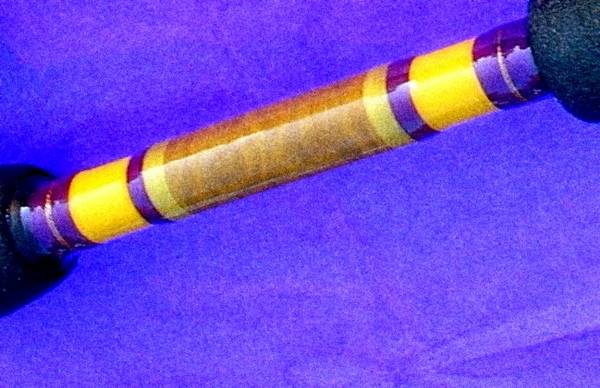
Bill thats not red and white lol nice job sir. Even if it is purple and gold lol
|
|
David Rogers
Registered: October 2006 Posts: 59
|
|
Thu October 4, 2007 9:42pm
|
|
|
There isn't a photo editing program in the world that can make a quality picture from a camera phone shot. If that picture was taken with a digital camera, you might be ready for a camera upgrade. ;~)
|
|
Bill Stevens
Registered: April 2005 Location: Baton Rouge, Louisiana Posts: 712
|
|
Fri October 5, 2007 9:58am
|
|
|
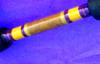
Camera is a Nikon digital 4100. I am trying to figure out a way to show the holo swair detail in a picture. Would it be better to take a closer shot with high resolution and then attempt to edit? I follow the instructions on the photo board to save the photo shots in low number of bytes to improve file transfer keep space usage to a minimum. How would you go about if the only task was to try to show the holo detail in a four inch length of one of the wraps. The picture shown above was cropped from a shot showing the entire rear grip area.
|
|
stan mclean
Registered: September 2005 Location: MA Posts: 321
|
|
Fri October 5, 2007 11:06am
|
|
|
I just found this site- [ link ] a bunch of photo how to's. They are dealing with watches which can be very hard to take good photo's of, they maybe some help in trying to capture the holo wrap.
|
|
James Labanowski
Registered: March 2005 Location: Oxnard, California Posts: 2,061
|
|
Fri October 5, 2007 11:24am
|
|
|
Bill taking pictures of a Tiger wrap is a real difficult project. I use a macro setting and I take my pictures outside with the sun at a drastic angle. Tnen I move the piece around to get rid of shadows as much as possible After I get a picture I like then I crop it and if you need to resize it you can. I dont think you have to resize it here but I do just for speed. Bottom line is it is hard to get good pictures of tiger wraps. I played with one yesterday in the shade and I will see what it looks like when I get time. Good luck Bill.
|
|
Tom Kirkman
Registered: March 2005 Location: North Carolina Posts: 1,568
|
|
Fri October 5, 2007 6:39pm
|
|
|
Taking a higher resolution photo won't do you any good here - the internet is a low resolution medium and won't display anything beyond about 72 dpi. So you're just wasting file space with anything above that.
What you can do, is set your aperature up around F22 and take the photo that way. That will improve your depth of field and set the focus from front to back, instead of on a single point. I'll try to post a tiger wrap photo I have left over from the magazine a while back. You certainly can take a good photo of one but you have to understand the relationship between the lens opening and depth of field.
|
|
Mark Daley
Registered: September 2007 Location: Woodland, CA Posts: 283
|
|
Sat October 6, 2007 8:40pm
|
|
|
Bill, I just made a post on tom's tiger wrap post that is intended for you. It is more detailed than our previous exchange. The blue background may be influencing the quality of your photo with regards to holographic threads. I'm not familiar with your Picasso film editing software, but photoshop software works best for me. It's only about $75.00 dollars or less and will give you every possible editing feature you'll ever need as an amature photographer. One last thing that will also improve your close up photos would be to use a tripod, especially if your using slower film speeds like 100 asa. Thats a great speed when using a flash for indoor shots. Use a 400 or 1000 film speed for fast action or low light conditions, such as natural lighting.
|
|